
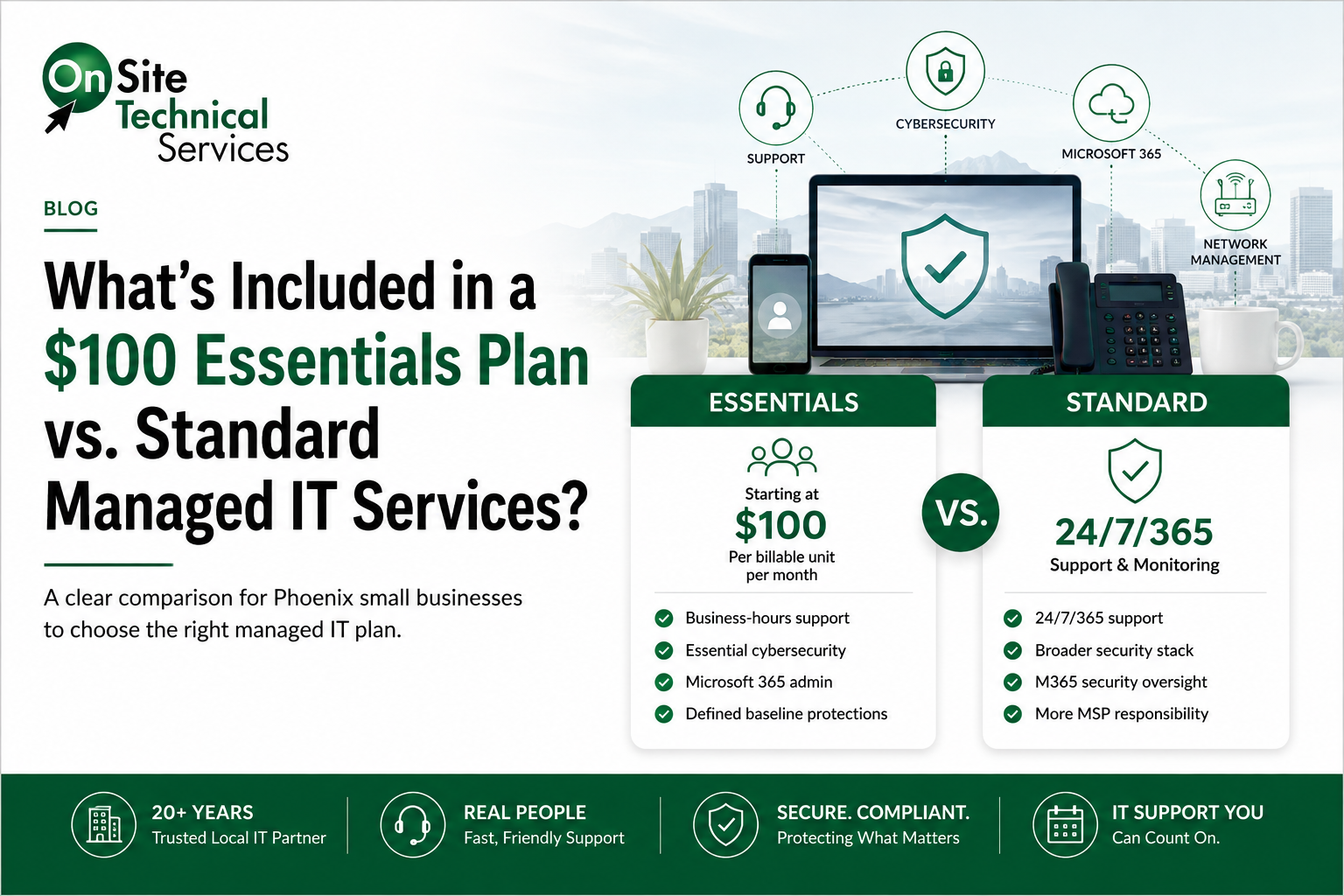
For a Phoenix small business comparing managed IT plans, the biggest difference between an entry-level plan and full Managed Services isn't simply how many cybersecurity products appear on a checklist. It's how much ongoing IT and cybersecurity responsibility the provider takes on.
OnSite Technical Services' Essentials plan starts at $100 per billable unit per month, with the billable unit defined as the greater of the number of users or covered devices. Essentials provides Microsoft 365 administration, business-hours IT support, and a defined set of cybersecurity protections.
Standard Managed Services goes further. It provides 24/7/365 support and monitoring, a broader cybersecurity stack, and ongoing oversight of Microsoft 365 security as users, devices, applications, configurations, and risks change.
Microsoft 365 licensing and network management are separate from the base service plans.
The most useful question when comparing the two isn't "Which plan has more tools?" It's:
How much IT and cybersecurity responsibility does our business want the MSP to own?
1. Start With the Pricing Model
Essentials provides a straightforward entry point into managed IT and cybersecurity:
$100 per billable unit per month.
The billable-unit count is the greater of the number of users or covered devices.
| Business | Example Calculation | Estimated Essentials Cost* |
|---|---|---|
| 10 users / 10 devices | 10 × $100 | $1,000/month |
| 15 users / 15 devices | 15 × $100 | $1,500/month |
| 25 users / 25 devices | 25 × $100 | $2,500/month |
*Examples assume users and covered devices are equal. If a company has 15 users but 20 covered devices, the example would use 20 billable units. Microsoft 365 licensing and optional add-on services are separate.
Standard Managed Services is structured differently. Rather than being a single all-in-one line item, Standard is assembled around the business's technology environment and the responsibilities OnSite will manage.
That can include Microsoft 365 Cloud Security & Administration, Managed Security & Support, Layered Cybersecurity & Threat Defense, and other appropriate services. Microsoft 365 licensing is separate, and network management is an optional add-on rather than something automatically included in Standard.
For broader IT budgeting, read our Managed IT Services Cost in Phoenix: 2026 Pricing Guide.
2. Compare What Essentials and Standard Actually Include
Price alone doesn't tell you whether two Managed Services plans are equivalent.
A better comparison is: What is being managed, how deeply is it being managed, and who is responsible for keeping it managed as the environment changes?
| Service Area | Essentials | Standard Managed Services |
|---|---|---|
| Microsoft 365 administration | Included | Included with broader ongoing administration and security oversight |
| User, license, group & access management | Included | Included |
| MFA / Conditional Access | Foundational MFA with a limited set of Conditional Access policies | Ongoing Microsoft 365 security monitoring and Conditional Access management, including identifying and truing up security gaps as the environment changes |
| Helpdesk | M–F, excluding holidays, 8:30 a.m.–4:30 p.m. | 24/7/365 |
| EDR | Included | Included |
| MDR | Included | Included |
| ITDR | Limited capabilities | Broader identity threat detection, monitoring, and response |
| Ransomware detection & response | Included | Included |
| Antivirus | Included | Included |
| Advanced email protection | Included | Included |
| Endpoint patching & updates | Included | Included |
| Computer & Microsoft 365 backup | Included | Included |
| SIEM / SOC | Not included in the Essentials security stack | Included, with 1-year retention |
| Microsoft 365 DLP | Not included | Included for the Microsoft 365 environment |
| Local-device / endpoint DLP | Not included | Not included; reserved for applicable Compliance tiers |
| Application allowlisting | Not included | Included |
| Ringfencing | Not included | Included |
| Storage control | Not included | Included |
| Elevation control | Not included | Included |
| Network control | Not included | Included |
| Configuration management | Not included | Included |
| PC encryption | Not included | Included |
| Security awareness training | Not included in the base Essentials security list | Included |
| Network management | Optional add-on | Optional add-on |
| On-premises infrastructure | Not included in base Essentials | Separately scoped as applicable |
| Onsite support | Billed hourly | Based on agreement and scope |
| Microsoft 365 licensing | Separate | Separate |
Essentials isn't an unprotected option. It provides meaningful endpoint, email, identity, backup, and threat protections.
Standard expands the depth of those protections and, just as importantly, expands the ongoing operational responsibility OnSite assumes.
3. Understand the Microsoft 365 Security Difference
Microsoft 365 security is one area where a simple comparison-table checkmark can be misleading. Both Essentials and Standard provide Microsoft 365 administration and identity protections. The difference is how far that management goes over time.
Essentials: Establish a Defined Security Baseline
Essentials provides foundational MFA with a limited set of Conditional Access policies.
For a smaller organization with a straightforward Microsoft 365 environment, that establishes an important baseline without providing the full ongoing Microsoft 365 security-management scope of Standard.
Standard: Monitor, Identify Gaps and True Them Up
Standard treats Microsoft 365 security as an ongoing responsibility, not simply an initial configuration project.
The Microsoft 365 security environment is monitored, and security controls are reviewed and adjusted as the environment changes. Those changes can include:
- Employees joining or leaving
- User roles changing
- Permissions changing
- Devices being added or removed
- New applications being introduced
- Microsoft changing features or security capabilities
- Configuration drift
- New security risks
A Microsoft 365 environment that was configured appropriately six months ago isn't necessarily configured appropriately today.
Standard is about an ongoing process:
Monitor → Identify Gaps → True Up Controls → Repeat
Essentials establishes a defined Microsoft 365 security baseline. Standard adds ongoing monitoring and management to identify and true up security gaps as the environment changes.
4. Understand What "DLP Included" Really Means
Data Loss Prevention is a good example of why businesses shouldn't compare MSP proposals using checkmarks alone.
Two providers can both say "DLP included" while providing different capabilities.
With OnSite's Standard Managed Services, DLP applies to the Microsoft 365 environment. Standard should therefore not be interpreted as including local-device or endpoint DLP.
Microsoft 365 DLP vs. Local-Device DLP
Standard: Microsoft 365 DLP.
Local-device / endpoint DLP: Not included in Standard and reserved for applicable Compliance tiers.
This distinction can be particularly important when a company has regulatory, contractual, or data-protection requirements.
When comparing Managed Services proposals, ask:
"When you say DLP is included, does that mean Microsoft 365 DLP, local-device DLP, or both?"
The scope behind the checkmark matters.
5. Network Management Is an Add-On
Network management is a separate add-on across the Managed Services plans. It shouldn't be assumed to be included simply because a business purchases Standard instead of Essentials.
OnSite offers different approaches depending on the client's environment and who owns the covered network equipment.
Option 1: OnSite-Supplied Network Hardware
Under this model, OnSite supplies and manages covered network equipment.
Depending on the environment and scope, network management can include:
- Firewall management
- Wireless access point management
- Advanced security subscriptions
- VPN management
- Network monitoring
- VLAN segmentation
- Guest Wi-Fi separation
- Firmware updates
This approach can be useful when a business wants its MSP responsible for both the covered network hardware and its ongoing management.
Option 2: Client-Owned Network Hardware
A business that already owns appropriate network equipment may instead choose to have OnSite manage qualifying existing hardware.
The equipment must meet OnSite's technical requirements before it can be brought under management.
This allows a company to retain suitable existing equipment while separately adding professional network management.
Ask These 3 Network Questions
- Is network management included or an add-on?
- Who owns the network hardware?
- What equipment, subscriptions, and management responsibilities are covered?
For OnSite, network management is an add-on, whether a client chooses Essentials, Standard, or another applicable service tier.
6. Compare Who Is Responsible When Something Happens
Consider two 15-person Phoenix businesses.
Both use Microsoft 365. Both need endpoint protection. Both need backups. Both need email security. Both need MFA. Both occasionally have employees who need IT help.
If we simply count features, the plans can appear more similar than they really are.
Instead ask:
Who is responsible when the environment changes or something goes wrong?
Essentials provides helpdesk support Monday through Friday, excluding holidays, from 8:30 a.m. to 4:30 p.m. Security incident response and remediation includes the first 24 hours, with additional time billed hourly. Onsite support is billed hourly, and network management is a separate add-on.
Standard provides a broader operational model with a 24/7/365 North America-based helpdesk, SOC-overseen monitoring, security-tool management, identity and access support, security incident response and remediation, onboarding/offboarding, patch and backup oversight, vendor management, reporting, and IT planning.
That's why comparing plans solely on price can be misleading.
Ask: "What responsibilities will our MSP actually own?"
If a responsibility isn't included, it doesn't disappear. Someone inside the business must handle it, the MSP must separately scope it, or the organization accepts the risk of it not being consistently managed.
7. Which Plan Fits Your Business?
Example 1: A 10-Person Cloud-Based Business
Consider a business with:
- 10 employees
- 10 covered computers
- Microsoft 365
- No on-premises server
- Primarily cloud-based applications
- Straightforward IT requirements
- Someone internally capable of coordinating non-routine technology issues
At 10 billable units:
10 × $100 = $1,000 per month for Essentials.
Microsoft 365 licensing and optional add-ons would be separate.
For a business primarily looking for a defined technology and cybersecurity foundation with predictable business-hours support, Essentials may be an appropriate starting point.
If the company also wants OnSite to manage its network, that would be evaluated as a separate network-management add-on.
Example 2: A 15-Person Company That Wants IT Off Its Plate
Now consider a 15-person company where the owner or office manager has gradually become the unofficial IT coordinator.
Management doesn't want that employee responsible for figuring out:
- Whether Microsoft 365 security policies are still appropriate
- Whether new security gaps have developed
- Which security alerts require action
- Whether backups are healthy
- Whether devices are being properly managed
- Which technology vendor needs to resolve an issue
- Whether access controls remain appropriate
The company also wants 24/7/365 support and monitoring.
This organization is more likely to evaluate Standard because the buying decision isn't simply about adding more software.
It's about transferring more operational responsibility to the MSP.
If the company also wants ongoing firewall, wireless, or other network management, that service would be added separately.
Example 3: A Growing 25-Person Business
Technology complexity can increase quickly as a company grows.
- More users create more identities.
- More identities create more permissions.
- More devices create more endpoints.
- More applications create more integrations.
- More vendors create more dependencies.
Each change can also create new administrative and cybersecurity gaps.
For a 25-person organization that depends heavily on technology, wants 24/7 support, needs ongoing Microsoft 365 security oversight, and doesn't want employees internally coordinating IT, Standard may be a better fit.
If the organization also needs managed networking, that can be added using either the appropriate OnSite-supplied hardware model or management of qualifying client-owned hardware.
If the organization has regulatory or contractual security requirements beyond Standard, such as a requirement for local-device DLP, an applicable Compliance tier should be evaluated.
These are representative examples. Actual recommendations depend on discovery and scoping.
8. Use This 5-Question Framework Before Choosing
1. How Many Users and Devices Need to Be Managed?
Don't assume employee count equals device count.
A 15-person company with 20 covered devices has different requirements from one with 15 people and 15 devices. For Essentials, that distinction also directly affects the billable-unit count.
2. When Does Your Business Need Support?
Essentials provides defined business-hours support.
Standard provides a 24/7/365 support model.
Determine what your organization actually needs rather than automatically assuming one or the other.
3. How Much Ongoing Cybersecurity Management Do You Need?
Don't simply count security tools.
Ask who is responsible for:
Monitoring → Identifying Gaps → Adjusting Controls → Responding
This is particularly important in Microsoft 365, where users, devices, applications, permissions, configurations, and Microsoft itself continually change.
4. What Additional Infrastructure Needs Management?
Don't assume that choosing a Managed Services plan automatically includes every piece of network infrastructure.
Network management is an add-on to OnSite's plans and can be structured around either OnSite-supplied hardware or qualifying client-owned equipment.
Likewise, businesses with regulatory requirements may require controls beyond those included in Standard.
5. How Much IT Responsibility Do You Want to Keep Internally?
This is often the deciding factor.
If your organization is comfortable retaining responsibilities outside the Essentials scope, Essentials may provide the appropriate foundation.
If you want your MSP to assume broader responsibility for technology operations, cybersecurity monitoring, Microsoft 365 security, support, and planning, Standard may be a better fit.
Don't Compare MSPs by Counting Checkmarks
One MSP lists 10 cybersecurity products. Another lists 15. Another lists 20.
That doesn't necessarily tell you which service provides better protection or better value.
Every checkmark should create another question:
- MFA? What policies are actually being managed?
- Conditional Access? Is it configured once, or is someone monitoring the environment and adjusting policies as things change?
- ITDR? What capabilities and response are actually included?
- DLP? Does that mean Microsoft 365 DLP, local-device DLP, or both?
- Network management? Is it included or separately priced, and who owns the hardware?
- 24/7 monitoring? Who actually reviews and responds to the alerts?
Don't compare Managed Services proposals by checkmarks. Compare the scope behind the checkmarks.
Specificity matters.
Essentials vs. Standard: The Bottom Line
For a budget-conscious Phoenix small business with a relatively straightforward cloud-and-endpoint environment, Essentials provides a $100-per-billable-unit starting point with Microsoft 365 administration, business-hours support, and a defined set of cybersecurity protections.
Standard is designed for businesses that want OnSite Technical Services to take on broader ongoing responsibility, including 24/7/365 support and monitoring, a broader cybersecurity stack, and ongoing monitoring and management of Microsoft 365 security gaps as the environment changes.
Neither plan should be assumed to include network management. Network management is an optional add-on, with models available for OnSite-supplied equipment or qualifying client-owned hardware.
Standard's DLP should also be understood precisely: Standard includes Microsoft 365 DLP, not local-device/endpoint DLP. Applicable Compliance tiers address requirements that extend beyond Standard's scope.
Don't choose solely by asking:
"Which plan costs less?"
Or:
"Which proposal has more checkmarks?"
Ask:
"Exactly what is being managed, who is responsible for managing it over time, and what remains our responsibility?"
Frequently Asked Questions
Is Essentials really $100 per employee?
Not necessarily. Essentials is $100 per billable unit per month, and the billable-unit count is the greater of users or covered devices.
For example, a business with 15 users and 20 covered devices would use 20 billable units.
Does Essentials include Microsoft 365 licensing?
No. Microsoft 365 administration is included, but Microsoft 365 licensing is separate.
Does Essentials include MFA and Conditional Access?
Yes, within a defined scope. Essentials provides foundational MFA and a limited set of Conditional Access policies.
Standard adds ongoing Microsoft 365 security monitoring and management to identify and true up security gaps as the environment changes.
Does Essentials include ITDR?
Essentials has limited ITDR capabilities. Standard provides broader identity threat detection, monitoring, and response.
Does Standard include DLP?
Yes, but the scope matters.
Standard includes Microsoft 365 DLP. It does not include local-device/endpoint DLP. Local-device DLP is reserved for applicable Compliance tiers.
Does Standard include network management?
No. Network management is an add-on, including for Standard.
Depending on the selected network service, OnSite can supply and manage covered network hardware or manage qualifying client-owned hardware.
Can OnSite manage our existing firewall and wireless equipment?
Potentially, yes. OnSite has a network-management option for approved client-owned hardware, provided the equipment meets the requirements to be brought under management.
Can OnSite provide the network hardware instead?
Yes. A separate network-management option allows OnSite to provide and manage covered firewall and wireless equipment.
Does Essentials include 24/7 support?
No. Essentials helpdesk support is Monday through Friday, excluding holidays, from 8:30 a.m. to 4:30 p.m.
Standard includes a 24/7/365 North America-based helpdesk and SOC-overseen monitoring.
What's the biggest difference between Essentials and Standard?
The biggest difference is the scope of ongoing operational responsibility.
Essentials provides a defined managed IT and cybersecurity foundation. Standard assumes broader responsibility for ongoing support, monitoring, cybersecurity, and Microsoft 365 security management.
Can a business start with Essentials and move to Standard?
Yes. Essentials provides an entry point for businesses with more straightforward requirements. As technology, cybersecurity, support, and operational requirements grow, the business can evaluate whether Standard or another service level is more appropriate.
What if our business has HIPAA, GLBA, or CMMC requirements?
Those environments need additional evaluation rather than assuming Essentials or Standard alone will satisfy the organization's requirements.
OnSite offers specialized service structures for organizations with applicable HIPAA, Financial/GLBA, and CMMC requirements.
Know What You're Buying Before You Compare Prices
Managed IT pricing becomes much easier to evaluate once you understand who is responsible for what.
OnSite Technical Services has provided Greater Phoenix businesses with IT planning, support, and protection since 2004. We help businesses evaluate their users, devices, Microsoft 365 environment, cybersecurity requirements, network infrastructure, and support needs before determining the appropriate service level.
Need help determining whether Essentials, Standard, or a more specialized service level fits your business?